WA Regulations For Business CCTV: What Perth Businesses Need To Know
March 2, 2026
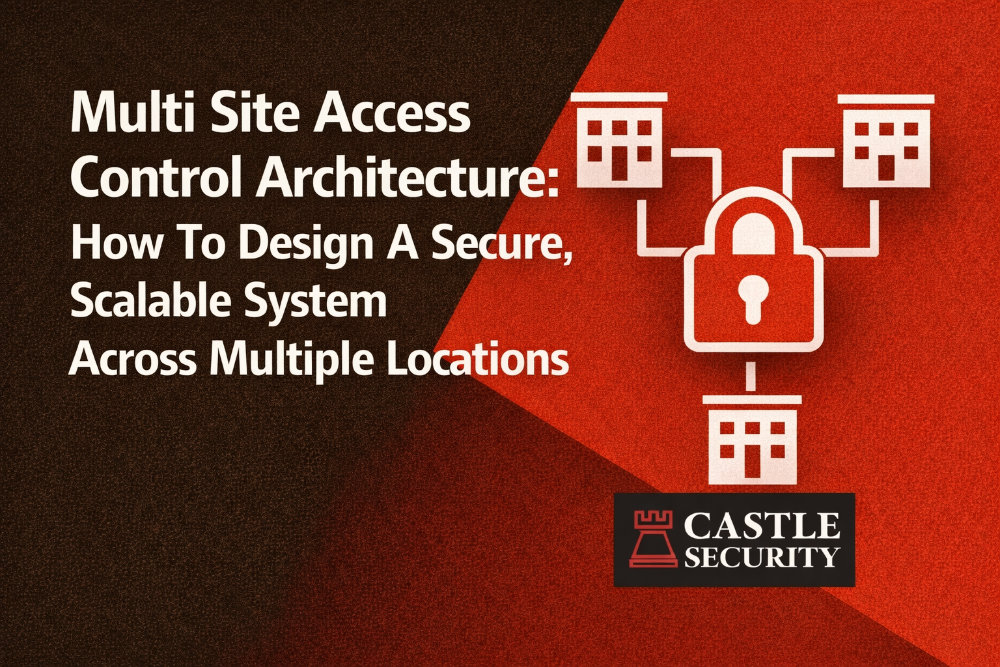
A multi site access control architecture is the difference between managing security with spreadsheets and managing it from a single interface that gives real time visibility across multiple sites. If you are running warehouses, offices, or commercial properties across multiple locations, your access control systems need to do 3 things well: centralized management, reliable door decisions at each site, and audit-ready reporting.
At Castle Security, we design multi site access control for organisations that want consistent security policies, clean onboarding and offboarding, and the ability to respond to security events from anywhere. This guide explains the architecture choices, the IT requirements, and the practical design patterns that keep business operations moving without compromising secure access.
Multi-site access control involves the centralized management of physical access for an organisation with more sites, regardless of distance. Each site still has local hardware such as access control readers, electronic locks, and IP-based door controllers. The difference is how those sites connect to a central management hub so users, access rights, and security alerts stay consistent.
In a mature design, you can:
The goal is operational efficiency with enhanced security, not extra admin.
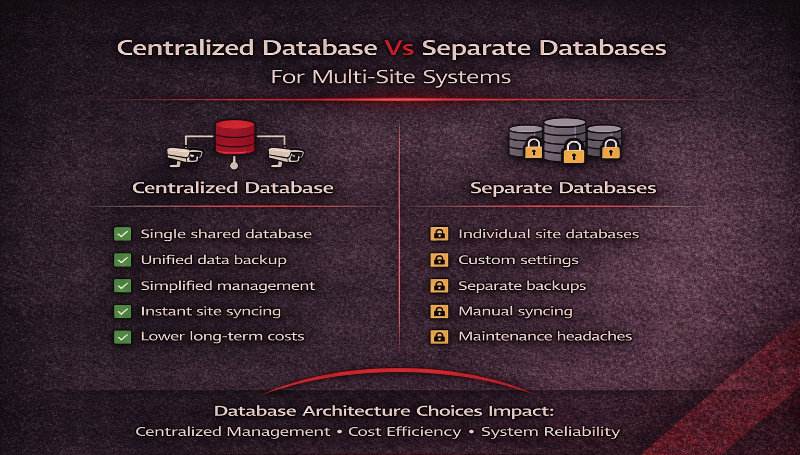
The first design decision is how you handle identity and permissions.
A centralized database keeps a global user profile for every person. When a user is added, removed, or has permissions changed, updates are pushed to relevant site controllers within seconds. This reduces security risks created by mismatched sites and outdated access rules.
Separate databases at each site can work for small portfolios, but they create operational challenges:
For large enterprises, government sectors, and organisations that need strong audit trails, centralized management is usually the right access control system choice.
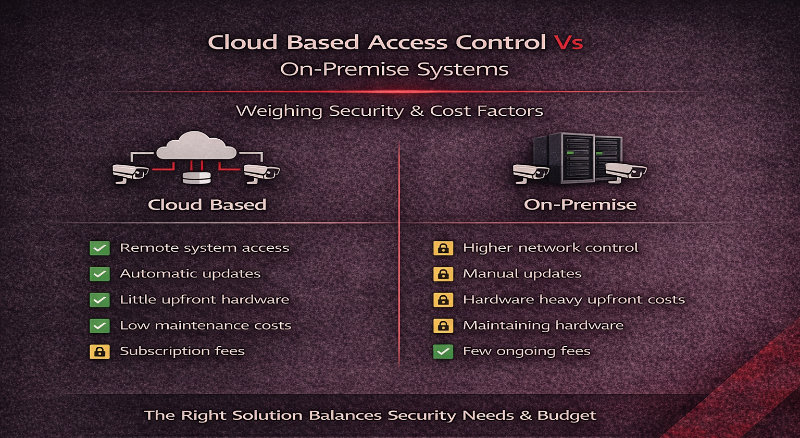
The next choice is where your management systems live.
Cloud based access control uses an online platform that provides remote management from anywhere. Benefits include:
On premise systems can still be the right fit when:
Most real-world deployments use a hybrid approach that combines a central management hub with distributed decision-making at the door controller level. That architecture is what prevents lockouts and supports offline operation.
The architecture that works best for remote sites is usually local controllers with central management, not “doors that stop working when the internet drops”.
In a hybrid model:
This design protects business operations and reduces potential threats caused by outages. It also supports controlled access for critical sites like remote warehouses, depots, and sites with unreliable comms.
Multi-site systems fail when redundancy is treated as an add-on. A practical design includes:
The best outcome is predictable behaviour. Doors remain secure, staff can still unlock doors where permitted, and your audit trails remain intact.
A common failure point in multi site access control is badge issuance. If badge printing and enrolment are inconsistent, your access management becomes messy and insecure.
A scalable pattern looks like this:
If you have high turnover, this matters even more. Quick onboarding and offboarding reduces the risk of lost keys, shared access cards, and orphaned access rights.
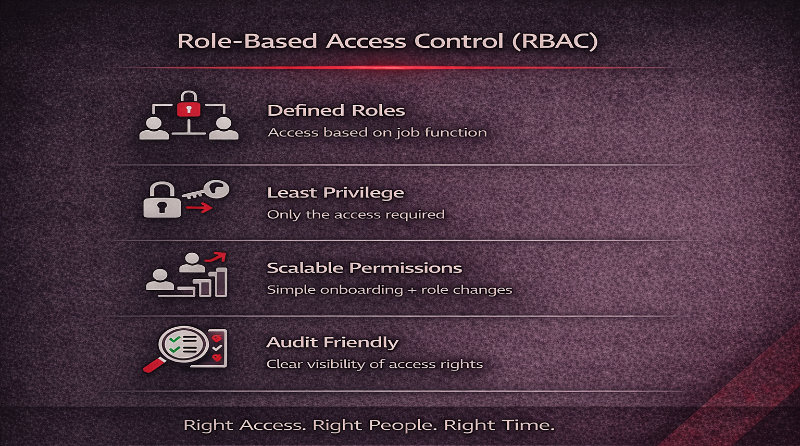
Role-Based Access Control is the fastest way to standardise security protocols across geographic locations. Instead of assigning permissions manually, you assign access based on job role, site, and shift.
A design pattern that works:
This prevents “permission creep” and improves managing security at scale.
To keep multi site architecture clean, structure access groups like building blocks:
Then combine them into rules. This gives you custom access without creating a different system for every location.
Multi-site access control gets messy when schedules do not account for timezones, daylight savings, and local holidays. Design schedules as:
This prevents doors unlocking at the wrong time and avoids security events that are actually scheduling errors.
If your organisation already runs identity in AD or Entra ID, use it to improve access management. A practical integration approach:
This reduces admin overhead and strengthens security by ensuring access changes follow HR reality.
Visitor access often creates security challenges across multiple locations, especially in multi tenant environments and mixed use developments.
A visitor model that works:
This improves tenant experience in multi tenant buildings while keeping staff-only areas secure.
Multi tenant buildings require access control systems that can manage multiple independent tenants with different access rights. The system must:
This is where multi-tenant capable access control platforms shine, because they support a centralized interface with clean separation of access rights and audit trails.
Standardisation is where you reduce operational costs and security gaps.
For readers, mandate one protocol approach across sites where possible:
For credentials, move away from legacy prox where practical:
If you want deeper detail, connect this page to OSDP Vs Wiegand For Access Control and DESFire Vs Legacy Cards so your team can standardise with confidence.
A reliable multi-site system depends on IT hygiene. Minimum requirements typically include:
This reduces emerging trends in cyber-physical risk where compromised digital credentials lead to physical access incidents.
Multi-site systems should make compliance easier, not harder. Centralized logging provides a complete audit trail, but only if you design reporting properly:
Advanced analytics and powerful analytics features are increasingly valuable for spotting anomalies across multiple sites.
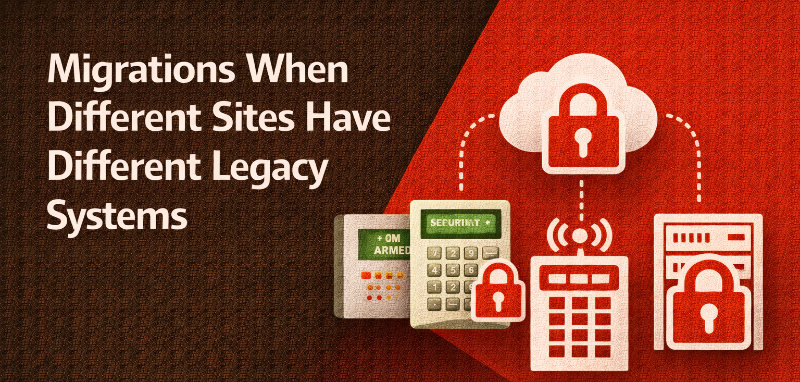
Most portfolios have mixed estates. The right approach is phased migration, not “rip and replace”.
A migration pattern that works:
This reduces risk and prevents the creation of new silos.
Video integration becomes more valuable in multi site environments because it gives context at scale. Best practice is:
This supports faster investigations and more consistent security operations across multiple locations.
Large enterprises fail when they cannot see device health. Choose platforms that support:
This reduces site visits, improves operational efficiency, and closes security gaps before they become incidents.
Edge appliances can make sense when:
A fully centralised stack can work when:
In practice, a hybrid approach is most resilient: distributed enforcement at the edge with centralized management and reporting.
A WA organisation with multiple locations was running separate databases and different systems across sites, creating security risks during staff moves and contractor turnover. Offboarding delays meant some access cards remained active after roles changed.
Castle Security designed a multi site access control architecture with centralised management, local controller caching for offline operation, and role based access control mapped to job roles and sites. The team moved to standardised credential policies and implemented unified reporting so compliance audits could be completed from a single interface. The result was faster onboarding, cleaner access rights, and consistent security policies across all facilities without increasing day-to-day admin.
The most reliable approach is centralized management with distributed enforcement. A central platform manages users, access rules, and reporting, while local controllers make door decisions and continue operating during outages.
Cloud based access control is often better for remote management, scalability, and real time visibility. On premise systems can be better where governance or integration requirements require local hosting. Many organisations choose a hybrid model.
Modern architectures allow local controllers to store a cached list of valid credentials and access rights. Doors continue to operate locally, and access events sync back to centralized management once connectivity returns.
Use role based access control, standardised credential types, and a consistent reader protocol such as OSDP. Centralised management allows global policies to be applied and updated across all sites quickly.
Yes. Multi tenant environments require systems that can separate tenant access rights, manage shared amenities, and allow building owners and property managers to administer access without exposing tenant data.
IT should enforce network segmentation, dedicated VLANs, firewall rules, secure remote access, and certificate-based authentication where supported. These controls reduce cyber-physical security risks.
A strong multi site access control architecture gives you centralised management, reliable local operation, and audit-ready reporting across every site.
When you combine role based access control, standardised credentials, secure reader protocols, and clean network segmentation, you get enhanced security without slowing business operations. You also reduce operational costs by consolidating duplicated servers, maintenance contracts, and fragmented management systems.
If you want a practical plan for your multi site access control rollout, Castle Security can run a site and architecture review across your existing systems, remote sites, and multi tenant environments, then produce a clear design for secure access, remote management, and compliance reporting.
Contact Castle Security to book a multi-site access control design consult and get an architecture roadmap tailored to your organisation.