WA Regulations For Business CCTV: What Perth Businesses Need To Know
March 2, 2026
Choosing an access control system is one of those projects that looks simple until you start mapping doors, users, and daily operations. The right access control system needs to do more than restrict access. It should support business security, streamline operations, reduce operational costs over time, and give you reliable audit trails if something goes wrong. A poor choice creates the wrong system for your business: constant admin chaos, weak credentials, unreliable doors during outages, and avoidable security breaches.
At Castle Security, we design access control systems for small office sites, commercial spaces, warehouses, schools, and multi-site businesses across WA. This guide explains how to narrow options, compare vendors, and make an informed decision that balances security, usability, and long-term support.
A thorough assessment of your security needs is the first step in choosing an access control system. Your use case determines key features, architecture, and the right mix of credentials and door hardware.
Typical use cases we see in Perth include:
Write down your top 5 risks and your top 5 operational demands. For example: preventing unauthorised entry at the loading dock, reducing tailgating at a single entry point, simplifying contractor temporary access, or managing access across multiple locations with remote management.
Most sales demos look great. The shortlist becomes obvious when you define non-negotiables based on your environment, not on marketing.
Must-haves for an effective access control system often include:
Cloud vs on-prem access control is rarely a pure technology debate. It is about ownership, remote access, data governance, and how your control system behaves under real failures.
Cloud Based Systems usually suit businesses that want:
On Premise deployments can suit organisations that want:
Hybrid models often deliver the best balance: cloud management with on-site controllers that keep doors operating if the internet drops.
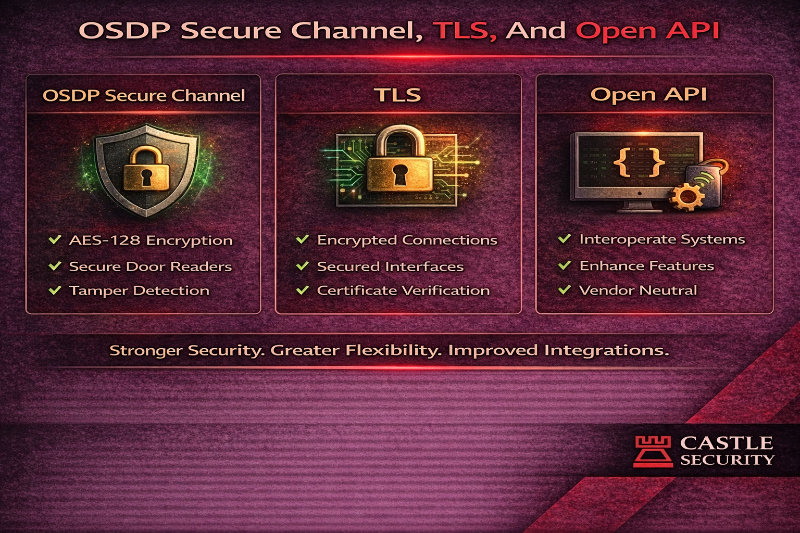
Standards are how you future-proof your security infrastructure. They also protect you from vendor lock-in and weak deployments.
For readers and wiring, mandate:
For platform security, mandate:
For integrations, mandate:
If your site is still using legacy readers, link this page to OSDP Vs Wiegand For Access Control so stakeholders understand why modern access control systems standardise on supervised protocols.
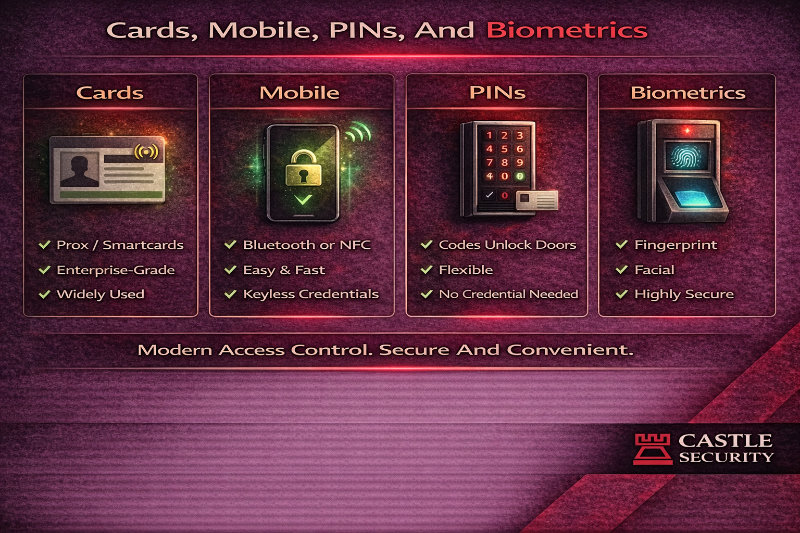
Choosing an access control system means choosing how people authenticate. The selected authentication method should align with the sensitivity of the areas being protected and the ease of use for authorised personnel.
Common credential options:
Biometric readers use unique biological characteristics such as fingerprints or facial recognition to grant access. That significantly reduces the risk of unauthorised entry and supports a higher level of security in sensitive environments. Sophisticated biometric systems can also support multi factor authentication by combining a biometric factor with a card or mobile credential.
Mobile access can improve operational efficiency because it supports remote management and can easily integrate with other systems, such as visitor workflows or time and attendance. It is also helpful in high turnover environments because credentials can be issued and revoked quickly without rekeying locks.
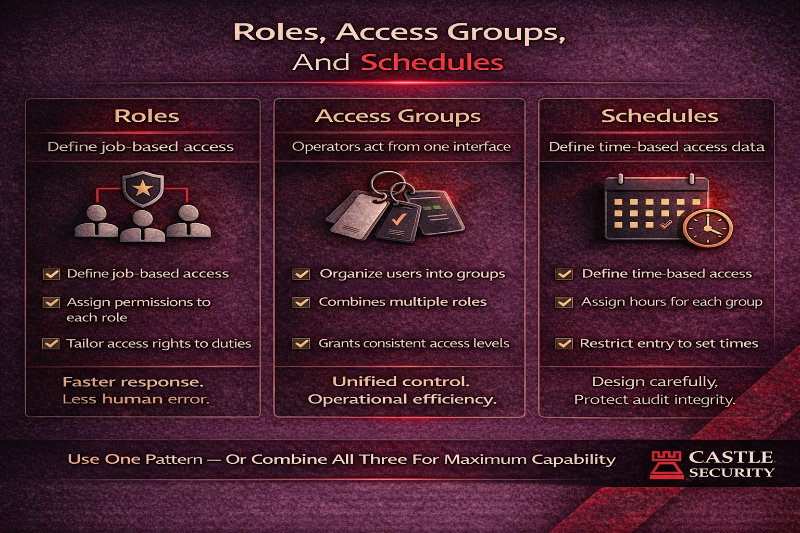
Most access control problems are not hardware failures. They are permission design failures. You avoid chaos by designing access around roles and operations, not individuals.
A clean approach:
This approach improves efficient management because staff changes do not require rebuilding access rights every time. It also supports business operations by keeping entry points predictable.
If you manage multi-site access, build groups as building blocks: site, role, and shift. This supports centralised management across multiple locations without creating an unmaintainable mess.
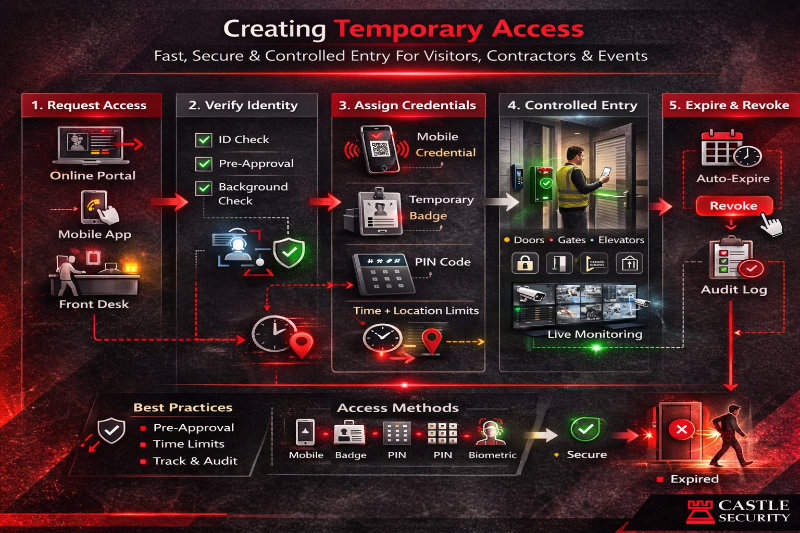
Visitor and contractor access is where many systems get sloppy. You want temporary access that is:
A good access control system should support temporary access credentials that expire automatically. That can be a QR code, a mobile credential, or a PIN workflow tied to an intercom system at the entry point.
If you have higher turnover, mobile credentials often reduce friction because they can be issued quickly, managed remotely, and revoked instantly. That is one of the reasons cloud based solutions are popular for modern businesses.
Integrations change the decision because they change outcomes. If you want your systems to act like a comprehensive security solution, confirm integration capability early.
The most valuable integrations include:
The synergy between video analytics and access control can provide real-time responses to potential threats such as tailgating or repeated denied access attempts, improving overall security and reducing false alarms.
An electronic access control project fails when door hardware is treated as an afterthought. Door hardware choices directly affect what the system can do and how reliable it will be.
Important hardware decisions include:
The architecture of an access control system determines how decisions are made and how resilient the system is. You should test offline behaviour during demos, not after purchase.
Ask vendors to show:
A new system should protect you during failures, not create open doors or lockouts.
The true cost of access control extends beyond installation. Upfront costs include hardware and professional installation. Ongoing fees include cloud subscriptions or licensing for on-site systems, plus maintenance and upgrades.
When comparing vendors, confirm:
A system that looks cheaper today can become expensive if every capability is a paid add-on or if support is weak and you end up paying repeatedly for fixes.
Many businesses assume upgrades mean ripping out everything. That is rarely necessary.
A practical migration plan often includes:
This approach helps you balance security and operational continuity.
Audit trails are not optional when you need to investigate unauthorised entry, prove access to restricted areas, or review a security incident.
Ask for reporting that includes:
Clear reporting helps you rest easy because you can answer who, when, and where quickly.
Access control is part of your cyber risk. Require controls that protect the platform and the organisation:
This reduces the risk of security breaches where compromised credentials lead to physical access.
A good demo is not a tour of buttons. Ask vendors to demonstrate these scenarios:
These tests reveal whether the system will operate reliably in your business, not just look good on a screen.
A WA business with a small office and a growing warehouse footprint wanted to move from mechanical locks to electronic access control systems. Their priorities were controlling access to restricted areas, reducing lost key risk, and improving operational efficiency as they added new access points.
Castle Security designed a role-based model with clean schedules, upgraded key doors first, and planned a staged migration path for credentials so staff could transition without disruption. We integrated access control with video surveillance for verification on high-risk doors and delivered reporting that supported incident review and compliance. The outcome was a right system that improved business security, reduced operational friction, and provided a clear path for future scalability.
A small office usually benefits from modern access control systems with simple remote management, clean reporting, and easy credential issuance. Cloud based systems can reduce maintenance, but the best choice depends on doors, internet reliability, and security needs.
Access control manages entry permissions and audit trails. Alarm systems detect intrusion events. Many businesses use both as part of a comprehensive security solution, especially where CCTV integration and incident response matter.
Often yes, but door hardware selection affects reliability and compliance. Electric strikes, magnetic locks, and electrified lever options must match door type and egress requirements, and you should include REX and DPS where needed.
Choose a system where controllers cache access rights and schedules, and test offline behaviour during demos. A resilient control system should keep authorised personnel moving while preserving audit logs.
Secure smart credentials and mobile credentials provide higher security than legacy prox. For high-risk zones, multi factor authentication and biometric solutions can further reduce unauthorised entry.
Choosing an access control system is about matching security needs, operational reality, and long-term maintainability. The right access control system enhances security, streamlines operations, supports remote access and centralised management, and provides audit trails that stand up in investigations. The wrong system creates admin chaos, weak controls, and ongoing support pain.
If you want a clear shortlist and a design that fits your doors, users, and integrations, Castle Security can run a structured site review and recommend a system for your business, including protocols, credentials, door hardware, and a staged migration plan. Contact Castle Security to book an access control design consult and make an informed decision with confidence.