WA Regulations For Business CCTV: What Perth Businesses Need To Know
March 2, 2026
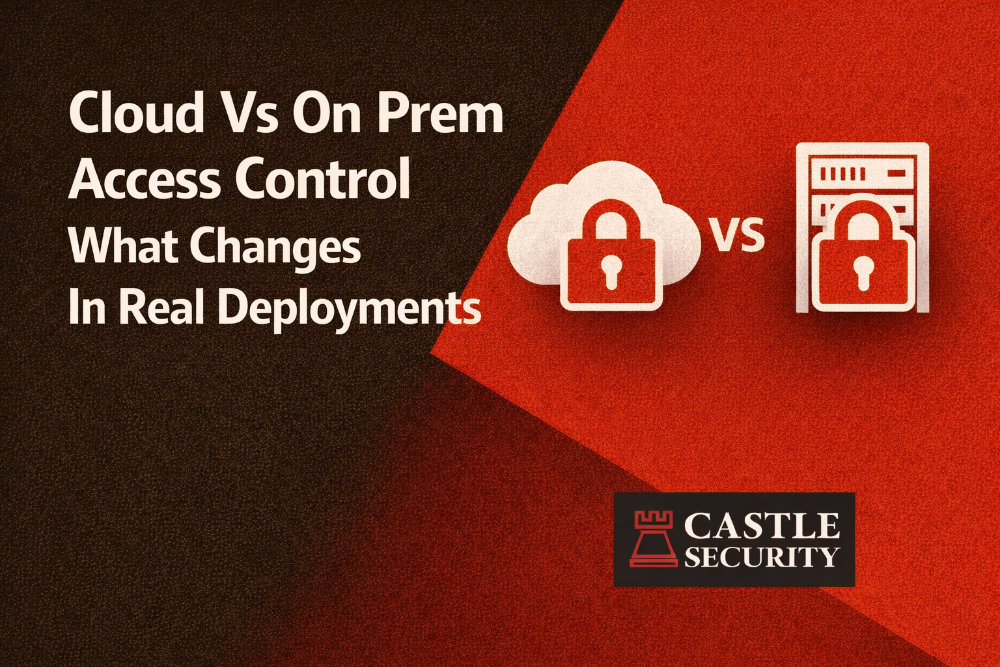
Choosing cloud vs on prem access control what changes in real deployments is not a branding decision. It is a decision about how doors behave during outages, how IT secures the network perimeter, how quickly you can rollout across distributed teams, and who owns the ongoing maintenance burden. The right answer depends on your risk profile, your compliance requirements, your appetite for on premises infrastructure, and how much remote management you need across sites.
At Castle Security, we deploy both cloud based access control and on premises access control systems across Perth and WA. We see the same pattern repeatedly: projects succeed when the architecture matches real operating conditions, not just a product checklist. This guide explains what actually changes at the door, on the network, in reporting, and in day to day operations.
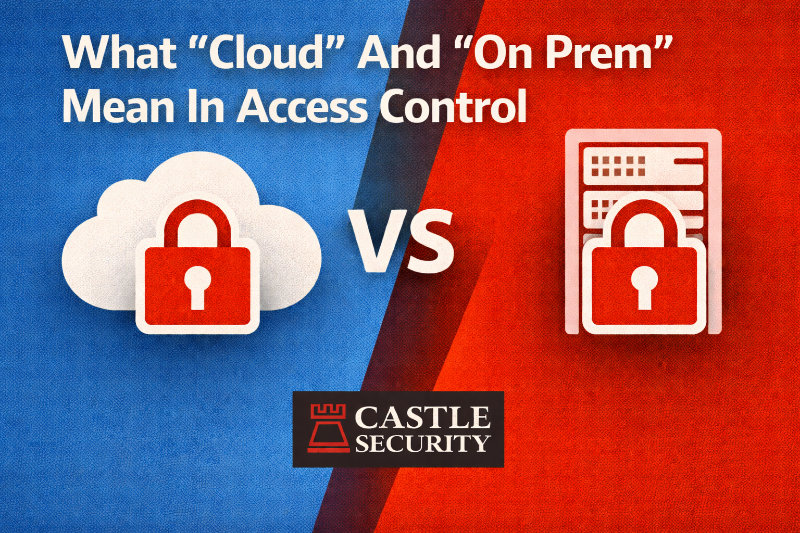
In physical access, “cloud” usually means the cloud software and management systems run on cloud platforms hosted by a service provider. That underlying cloud infrastructure is typically delivered through public cloud services or a managed private cloud operated by a cloud service providers network of data centers. Your team accesses a cloud dashboard or centralized interface for user management, schedules, and monitoring.
“On prem” usually means the software is installed as on premises software and runs on your own premises infrastructure. Your servers, virtual machines, storage, and backups live inside your organisation’s physical infrastructure and your security teams own patching and server maintenance.
There is also a third model that is becoming the practical default: a hybrid cloud or hybrid infrastructure approach where management is centralised but door decisions still happen locally. Hybrid environments are popular because they combine remote access convenience with local resilience.
The most important change is how the system decides to unlock doors.
In an on premises deployment, your door controllers typically validate credentials against a local controller database and may also query a local server depending on architecture. Many on premises systems are designed for local performance and reduced dependency on internet connectivity.
In a cloud deployment, your management layer is remote, but a good design still does not rely on a round-trip to the cloud for every access event. In real deployments, modern cloud solutions rely on local controllers that enforce access rules and cache permissions. Cloud based management pushes policy updates, user changes, and schedules to controllers, then controllers make the door decision.
If your cloud product requires constant live validation for every credential read, treat it as a red flag. Cloud systems require a constant and reliable internet connection to operate effectively when they are designed poorly. The better architecture is cloud management with local enforcement.
Procurement discussions often focus on cloud security and SLAs, but real uptime is shaped by the failures you actually experience.
Common on premises failure patterns include:
Common cloud deployment failure patterns include:
The practical point is simple: both cloud and on premises can be highly reliable when engineered properly, and both can fail badly when design and operations are ignored. The difference is who owns the recovery. With on premises security, you have direct control over the whole stack. With cloud providers, you operate within a shared responsibility model and rely on external infrastructure for some components.
Offline mode is where cloud access control either proves itself or fails.
A resilient offline mode design includes:
Advanced architectures allow local controllers to store a copy of the database so doors keep working if the connection to the central server is lost. In practice, you want doors to keep granting access to authorised personnel while still maintaining controlled access and an audit trail.
For multi-site organisations, this matters even more. Remote sites can experience longer WAN outages, and local decision-making is essential for business operations.
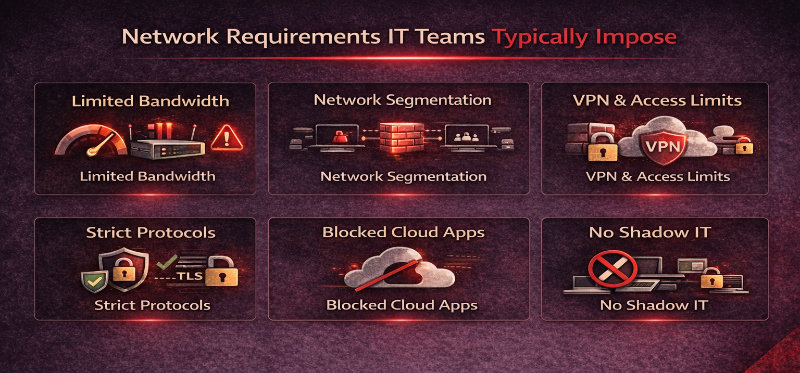
Cloud systems change the conversation with IT because you are extending trust beyond the network perimeter. Most security professionals will require a clear network design.
Expect IT to ask for:
This is where cloud adoption succeeds or fails. Many organisations underestimate the time required to align networking, data security parameters, and security monitoring with cloud environment requirements. A strong design treats access control as part of core IT infrastructure, not a standalone trade install.
Cloud deployment can be materially faster when your organisation is adding more sites or opening new facilities. Cloud computing allows near instant provisioning of applications, which reduces time spent on server procurement, installation, and initial configuration. A cloud dashboard also makes it easier to create templates and push policies across multiple sites.
On premises rollouts tend to be slower because you may need:
That said, speed is not guaranteed. Cloud deployments can stall when DNS, outbound rules, and certificate controls are not ready. Commissioning is faster when Castle Security and your IT team agree on network, identity, and monitoring requirements before devices go on the wall.
Integrations are where cloud vs on premises differences become very obvious.
Cloud platforms typically offer open APIs and cloud based services integration patterns that make it easier to connect to other systems. This can simplify integration with:
On premises systems can integrate deeply as well, but the integration effort often sits with your team. You may need custom middleware, on premises software connectors, or services running on your infrastructure model.
In real deployments, the best approach is to map integrations to outcomes:
Cloud based systems can improve operational efficiency when integrations are standardised and managed centrally.
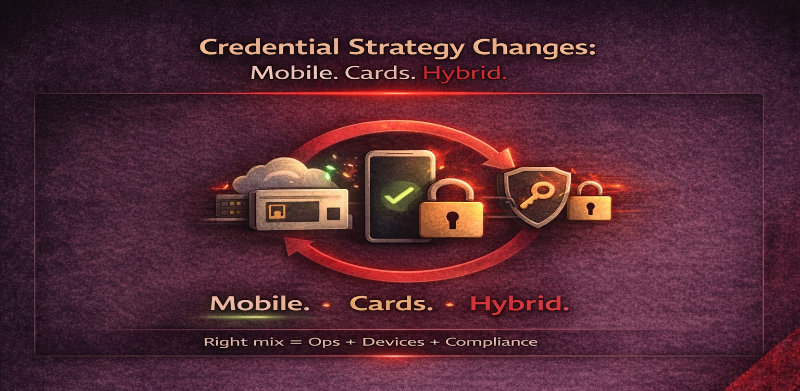
Cloud access control often accelerates mobile credentials because remote management and digital credentials are already part of the platform. Mobile access can reduce lost keys, speed up issuance, and support distributed teams. It also enables quick revocation when staff leave.
On premises systems can support mobile credentials as well, but rollout can be slower if the ecosystem is heavily tied to legacy systems or if external connectivity is restricted.
In practice, most organisations run hybrid issuance:
The right mix depends on operational challenges, device policies, and compliance requirements.
Cloud solutions often win on reporting because they centralise access logs, alarms, and system health into one interface. Cloud security solutions also lend themselves to continuous monitoring with central alerting, which can improve response time and governance.
On premises reporting can be just as strong, but you must build and maintain it. That usually includes:
If your organisation has heavy compliance requirements, the key question is not “cloud or on premises.” The key question is: can you prove who had access, when, across all facilities, and can you retain and export that data reliably?
Centralised logging that supports complete audit trails is one of the biggest benefits of a mature cloud based access control design.
Cloud vs on premises becomes much clearer when you manage multiple sites.
Cloud based access control is typically designed for centralised management across multiple locations:
On premises can still do multi-site well, but it often requires more IT effort and more physical infrastructure.
Governance is the missing piece. A strong multi site design includes:
A cloud dashboard can make governance easier because changes and reporting are centralised, but you still need a policy model that fits the organisation.
Device management is a real operational cost that procurement teams often miss.
Cloud systems often support streamlined updates because the management platform can coordinate updates, push configs, and surface device health. Some cloud platforms can roll out software and security features in a controlled way.
On premises environments usually require your team to:
In both models, the goal is the same: reduce downtime, reduce security gaps, and keep the entire system consistent. Cloud systems can reduce server maintenance effort, but they still require disciplined device management and a good relationship with your service provider.
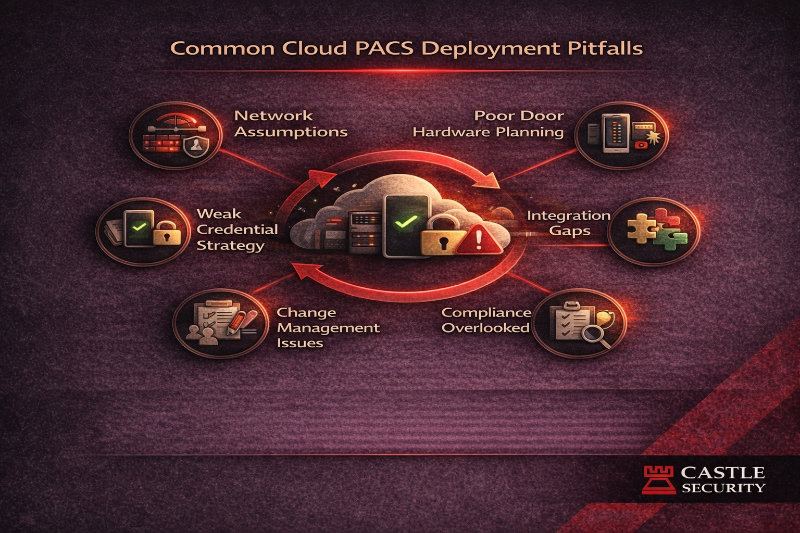
Cloud deployments fail for predictable reasons. The most common issues we see are not product problems. They are network and governance problems.
Typical pitfalls include:
Avoid these by aligning IT infrastructure, network perimeter controls, and security teams early. Commissioning should include connectivity tests, certificate validation, and offline mode verification before go-live.
Operator experience is a practical difference that shows up on day one.
Cloud based systems often offer:
On premises systems can provide similar features, but remote access often needs additional infrastructure and careful security controls. That can add cost and complexity.
The tradeoff is direct control. On premises deployment can give you complete control over data location, custom workflows, and the physical infrastructure, which matters for some organisations.
On premises redundancy usually means you design it:
Cloud redundancy is partly built into cloud infrastructure, but you still need to confirm what it actually means for your environment. The shared responsibility model matters. Your configuration, your identity controls, and your network path still influence availability.
In practice, a hybrid model reduces risk:
Data residency is often the deciding factor for regulated and compliance-heavy industries.
Key questions to answer:
Companies in highly regulated industries may find it imperative to house applications on premises to ensure compliance. Others can meet regulatory compliance with cloud based services if the cloud service providers meet data location and retention requirements and your governance is strong.
There is no one size fits all approach to access control solutions, and data governance is often the deciding variable.
This is where total cost of ownership becomes real.
On premises solutions require:
Cloud solutions reduce some of that burden because the underlying infrastructure is managed by the third party provider. Cloud computing also shifts many organisations from capital expenses to operational costs via subscriptions. You still own:
Cloud solutions can lead to lower operational costs when IT resources are limited and when you need to scale rapidly. On premises can be more cost-effective over time for stable workloads if you already have the team and infrastructure.
Hybrid solutions blend on premise security with cloud management and are becoming popular among organisations because they solve the real deployment constraints.
Hybrid often makes the most sense when:
A hybrid infrastructure model can also support staged migrations from legacy systems, which is common in commercial properties with mixed estates.
The decision between cloud and on premises depends on your specific needs and compliance requirements. A practical evaluation framework includes:
Every enterprise is unique. The best model is the one your organisation can operate securely for years, not just install quickly.
A WA organisation with multiple locations wanted centralised management and real time visibility, but several remote sites had inconsistent internet connectivity. They also needed clear audit trails for compliance reporting and operational efficiency without adding burden to local site teams.
Castle Security designed a hybrid approach: local controllers at each site with cached permissions for offline operation, and a central management platform for remote access administration, reporting, and policy governance. We aligned network requirements with IT, implemented role based access control, and established ongoing device monitoring and update practices. The result was a system that stayed operational during outages while giving head office a single interface to manage access rights and security events across the portfolio.
The biggest difference is where management and data storage live and how ongoing maintenance is handled. In strong designs, doors still make local decisions through controllers, while cloud systems provide centralised management and reporting.
They can if they are designed poorly. A resilient cloud deployment uses local controllers with cached permissions and schedules so secure access continues during outages and access logs sync later.
IT typically requires VLAN segmentation, outbound firewall rules, certificate controls, secure remote access, and monitoring. These controls protect the network perimeter and reduce security risks in cloud environments.
On premises security gives direct control over data and infrastructure, which can simplify compliance for some organisations. Cloud security can be very strong, but it requires understanding shared responsibility and enforcing governance and network security parameters.
Cloud based access control or hybrid environments are often better for remote management across multiple sites, especially when you need centralised management, templates, and real time visibility.
Choose hybrid when you want cloud management benefits but need local resilience at the door level, especially for remote sites and organisations with mixed connectivity and high uptime requirements.
Cloud vs on prem access control what changes in real deployments comes down to door decision-making, offline resilience, IT controls, integrations, reporting, and who owns maintenance. Cloud solutions can improve operational efficiency through centralised management, remote access, and faster rollout, while on premises solutions provide direct control over data location, infrastructure, and security measures that matter for compliance-heavy industries. For many organisations, a hybrid cloud model delivers the best of both: central governance with distributed enforcement at local controllers.
If you want a clear recommendation that matches your sites and your security policies, Castle Security can run a design consult that reviews your internet connectivity, network perimeter controls, data governance, integrations, and offline requirements. Contact Castle Security to book a cloud vs on premises access control assessment and get a deployment roadmap that fits your organisation.