Night Vision on Security Cameras Explained
July 25, 2026
How to design centralised, resilient, audit-ready access control across many sites, with the WA realities built in.
The security hole in a multi-site business is almost never a locked door. It is the contractor who finished at the Kwinana depot back in March and whose card still opens it in September, because the offboarding was done at head office and never reached that site’s separate database. Multiply that by every leaver, every site, every “we’ll sort it later”, and you have the quiet drift that a multi-site access control architecture exists to stop.
Done well, that architecture is the difference between managing security with spreadsheets and managing it from a single interface with real-time visibility across every location. If you are running warehouses, offices or commercial properties across multiple sites, the system has to do three things well: centralised management, reliable door decisions at each site, and audit-ready reporting. At Castle Security we design multi-site access control for organisations that want consistent security policies, clean onboarding and offboarding, and the ability to respond to a security event from anywhere, and as a Gallagher accredited partner we build it on enterprise platforms proven for exactly this. This guide walks through the architecture choices, the IT requirements, and the design patterns that keep operations moving without compromising secure access.
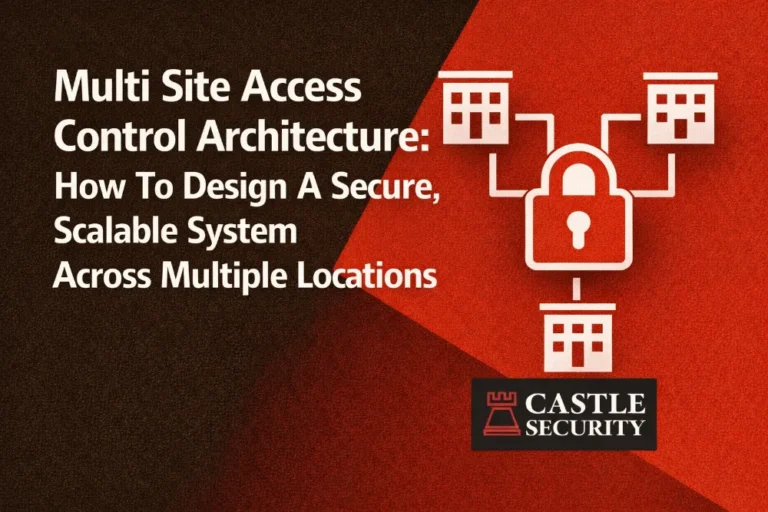
Multi-site access control is the centralised management of physical access for an organisation with more than one site, regardless of distance. Each site still has its own local hardware, the access control readers, electronic locks and IP-based door controllers, but the difference is how those sites connect to a central management hub so that users, access rights and security alerts stay consistent everywhere. In a mature design you create a user once and assign their access across sites, revoke it instantly when they leave or a credential is lost, and let staff unlock doors with a card or mobile access managed remotely through a cloud dashboard or secure on-premise system. You control employees access across every site, keep controlled access to sensitive areas, and view the access logs and security events from every site in one real-time monitoring feed. The goal is operational efficiency with enhanced security, not extra admin.
The first architectural decision is how you handle identity and permissions, and the key differences between the two approaches set the tone for everything after it.
Centralised Versus Separate Databases
| Centralised Database | Separate Databases Per Site |
| One global user profile per person | Duplicate enrolment and badge issuance |
| Changes push to relevant controllers in seconds | Inconsistent, different access rules between sites |
| Instant, complete offboarding | Delayed offboarding leaves access live at remote sites |
| One consolidated audit trail | Fragmented audit trails that complicate compliance |
A centralised database keeps a global user profile for every person, so when someone is added, removed or changed, the update is pushed to the relevant site controllers within seconds, which cuts the security risks created by mismatched sites and stale access rules. Separate databases at each site can work for a small portfolio, but they breed the operational challenges above, and for large enterprises, government sectors and any organisation that needs strong audit trails, centralised management is usually the right access control system choice.
The next choice is where the management systems live. A cloud based system, or cloud-based access control, runs on an online platform that provides remote management from anywhere, with seamless integration to video and alarms, which means faster scaling as you add more sites, centralised management through a cloud dashboard, easier remote access for administrators and property managers, and automatic updates on many platforms. On-premise systems still fit where your security policies require local hosting, where integration with existing systems is heavily customised, or where you have strict data governance requirements. But most real-world deployments land on a hybrid approach that combines a central management hub with distributed decision-making at the door controller, because that is what prevents lockouts and supports offline operation.
The offline behaviour is the part that matters most, and it is where remote WA sites separate the good designs from the fragile ones. In a hybrid model, the central platform manages users, access rules, schedules and reporting, while each local door controller stores a cached copy of valid credentials and access rights, makes its decisions locally even when the WAN is down, and queues the access events to sync back once connectivity returns. On a mine site in the Pilbara or a depot on a satellite link that drops for an hour at a time, that local decision-making is not a nice-to-have; it is the difference between a working front gate and a crew of FIFO workers locked out of it. The same design protects business operations and keeps a complete audit trail through an outage.
Multi-site systems fail when redundancy is treated as an add-on rather than designed in. A practical design includes redundant comms paths for remote sites where possible, failover servers or clustered services for the centralised management, controller backups with documented restore processes, and clear response plans for offline-mode operation. The best outcome is predictable behaviour: doors stay secure, staff can still unlock the doors they are permitted to, and the audit trails remain intact no matter what fails.
Role-based access control is the fastest way to standardise security across geographic locations, because instead of assigning permissions by hand you assign access by job role, site and shift. The pattern that works is to let the role define what a person can reach (operations, IT, finance, management), the site define where (the Perth DC, a regional depot, head office), and the shift define when (day, night, weekend roster), with any override logged and reviewed. That structure prevents the permission creep that quietly undermines security at scale. To keep it clean across a large portfolio, build access groups like blocks, department groups, job-role groups, site groups and shift groups, then combine them into rules, which gives you custom access without inventing a different system for every location.
Enrolment and badging are a common failure point, and inconsistency there makes the whole system messy and insecure. A scalable pattern uses one global user identity record, standardised naming conventions for departments, roles and site codes, central templates for card formats and mobile credentials, controlled issuance through role-based administration, and local printing only where needed, always behind a standard process and approval workflow. Where turnover is high, this matters even more, because quick onboarding and offboarding is what cuts the risk of lost keys, shared access cards and orphaned access rights.
Scheduling is where multi-site access control gets quietly messy, and Western Australia adds a wrinkle most national templates ignore: WA does not observe daylight saving. Run a Perth head office over eastern-state sites and the time gap to Sydney or Melbourne swings between two and three hours across the year as they shift onto daylight time and WA stays on AWST, while Queensland and the Northern Territory sit differently again. Get that wrong and doors unlock an hour early, or a night shift is locked out, and it registers as a security event when it is really a scheduling error. The fix is to build schedules in each site’s local time, hold central policy templates you can apply across sites, define clear handling for any daylight-saving changeover, and keep holiday-schedule libraries per state, because WA public holidays such as WA Day and the local King’s Birthday date do not line up with the eastern states either.
If your organisation already runs identity in Active Directory or Microsoft Entra ID, use it to sharpen access management rather than duplicating it. The practical approach treats AD or Entra ID as the source for basic identity attributes and employment status, maps roles through RBAC to automate access rights by job role and department, applies multi-factor authentication for high-risk admin actions and sensitive areas, and keeps the access control platform as the authority for the physical access rules and the audit trails. That reduces admin overhead and strengthens security by making sure access changes follow HR reality, so a leaver in the HR system becomes a revoked credential at every site without a second manual step.
Visitor access is a recurring source of security challenges across multiple locations, especially in multi-tenant environments and mixed-use developments. A model that works uses central visitor pre-registration and approval, local site rules for where a visitor may go and when, time-limited QR codes or temporary PINs, integration with the intercom systems for controlled entry, and automatic expiry with a clear audit trail for each visit, which lifts the tenant experience while keeping staff-only areas secure. Multi-tenant buildings push this further, because the system has to manage several independent tenants with different access rights at once: controlling entry to shared amenities, restricting staff-only areas and building services, letting building owners and property managers manage access without seeing tenant data, and supporting separate administration scopes per tenant. This is where genuinely multi-tenant-capable platforms earn their place, giving each tenant clean separation of access rights and audit trails from one centralised interface.
Standardisation is where you cut both operational costs and security gaps. On readers, mandate one protocol across sites where you can: OSDP is the strong modern standard because it supports supervised, bi-directional and encrypted communication, whereas Wiegand, common in legacy systems, is unencrypted and gives you far less device visibility. On credentials, move away from legacy proximity cards where practical, since secure smart credentials such as DESFire cut the cloning risk, biometric options like facial recognition suit the highest-security doors, and mobile credentials reduce lost keys while improving remote management. Underneath it all sits IT hygiene, and a reliable multi-site system depends on it: dedicated VLANs for the security-system traffic, firewall rules that restrict access to required services only, certificate-based secure access for cloud systems and remote management, a clear policy for remote-access pathways and admin logins, and network segmentation between the security systems, the building management systems and the corporate network. That segmentation is what stops a compromised digital credential turning into a physical access incident, the cyber-physical risk that is climbing up every security team’s list.
A multi-site system should make compliance easier, not harder, and centralised logging gives you a complete audit trail, but only if the reporting is designed properly, with standardised event categories across sites, consistent naming for doors, zones and access points, retention policies that match your privacy and regulatory obligations under the Privacy Act, and dashboards for real-time monitoring and security-event triage. Video integration adds context at scale, linking an access event to a video bookmark automatically, centralising review for security personnel, keeping local recording resilient with central visibility, and aligning retention and privacy across sites. And large estates come undone when nobody can see device health, so choose platforms with central configuration templates, remote firmware management, health monitoring for readers, controllers and comms, and alerting on unusual access-log patterns or repeated failures, which cuts site visits and closes gaps before they become incidents. Powerful analytics are an emerging trend here, spotting the anomalies and potential threats that hide across many sites.
Where you put the intelligence is a real trade-off. Edge appliances make sense when remote sites have unreliable WAN, when you need local integration with building systems, when you want local buffering of video and access events, or when policy requires some data to stay on site rather than off site in the cloud. A fully centralised stack fits where sites have stable connectivity, where you want minimal on-site infrastructure, and where rapid scaling and remote management are the priority. In practice a hybrid is the most resilient, distributed enforcement at the edge with centralised management and reporting. Most portfolios also arrive as a mixed estate of different legacy systems, and the right response is phased migration, not rip-and-replace: choose the target platform and define the architecture, integrate existing systems where practical to avoid disruption, standardise readers and credentials during natural refresh cycles, tackle the highest-risk sites first, and consolidate the databases and management systems once the site hardware is aligned. Done that way, you reduce risk instead of creating new silos.
A WA organisation with multiple locations was running separate databases and different systems across its sites, which created security risks during staff moves and contractor turnover, and offboarding delays meant some access cards stayed active after roles changed. Castle Security designed a multi-site access control architecture with centralised management, local controller caching for offline operation, and role-based access control mapped to job roles and sites. We moved them to standardised credential policies and unified reporting, so a compliance audit could be completed from a single interface. The result was faster onboarding, cleaner access rights, and consistent security policies across every facility without adding to day-to-day admin, which is exactly the balance a distributed WA operation needs.
These are the questions Perth and WA organisations ask us most about multi-site access control.
The most reliable approach is centralised management with distributed enforcement. A central platform manages users, access rules and reporting, while local controllers make the door decisions and keep operating during an outage. That pairing gives you one source of truth without the risk of a door that stops working when the internet drops.
Cloud is often better for remote management, scalability and real-time visibility, while on-premise can be better where governance or integration needs demand local hosting. Many organisations choose a hybrid model, and for WA operators with remote sites that is usually the honest recommendation because it pairs central control with local resilience.
Modern architectures let local controllers store a cached list of valid credentials and access rights, so doors keep operating locally and the access events sync back to the central platform once connectivity returns. On remote WA sites with intermittent comms, that offline capability is essential rather than optional.
Use role-based access control, standardised credential types, and one consistent reader protocol such as OSDP. Centralised management then lets you apply and update global policies across every site quickly, so a change made once takes effect everywhere rather than site by site.
Yes. Multi-tenant environments need a platform that can separate tenant access rights, manage shared amenities, and let building owners and property managers administer access without seeing tenant data. A multi-tenant-capable system gives each tenant its own administration scope from one central interface.
Network segmentation, dedicated VLANs, firewall rules, secure remote access and certificate-based authentication where supported. These controls protect the network perimeter and reduce the cyber-physical risk where a compromised credential leads to a physical breach, and they align with the ACSC Essential Eight.
A strong multi-site access control architecture gives you centralised management, reliable local operation and audit-ready reporting across every site. Combine role-based access control, standardised credentials, secure reader protocols and clean network segmentation and you get enhanced security without slowing operations, and you cut operational costs by consolidating duplicated servers, maintenance contracts and fragmented management systems.
Castle Security can run a site and architecture review across your existing systems, remote sites and multi-tenant buildings, then produce a clear design for secure access control, remote management and compliance reporting. Contact Castle Security to book a multi-site access control design consult and get an architecture roadmap tailored to your organisation.